

Thermal Transfer Ribbon Size Guide: Width, Core, Ink Side & Printer Fit
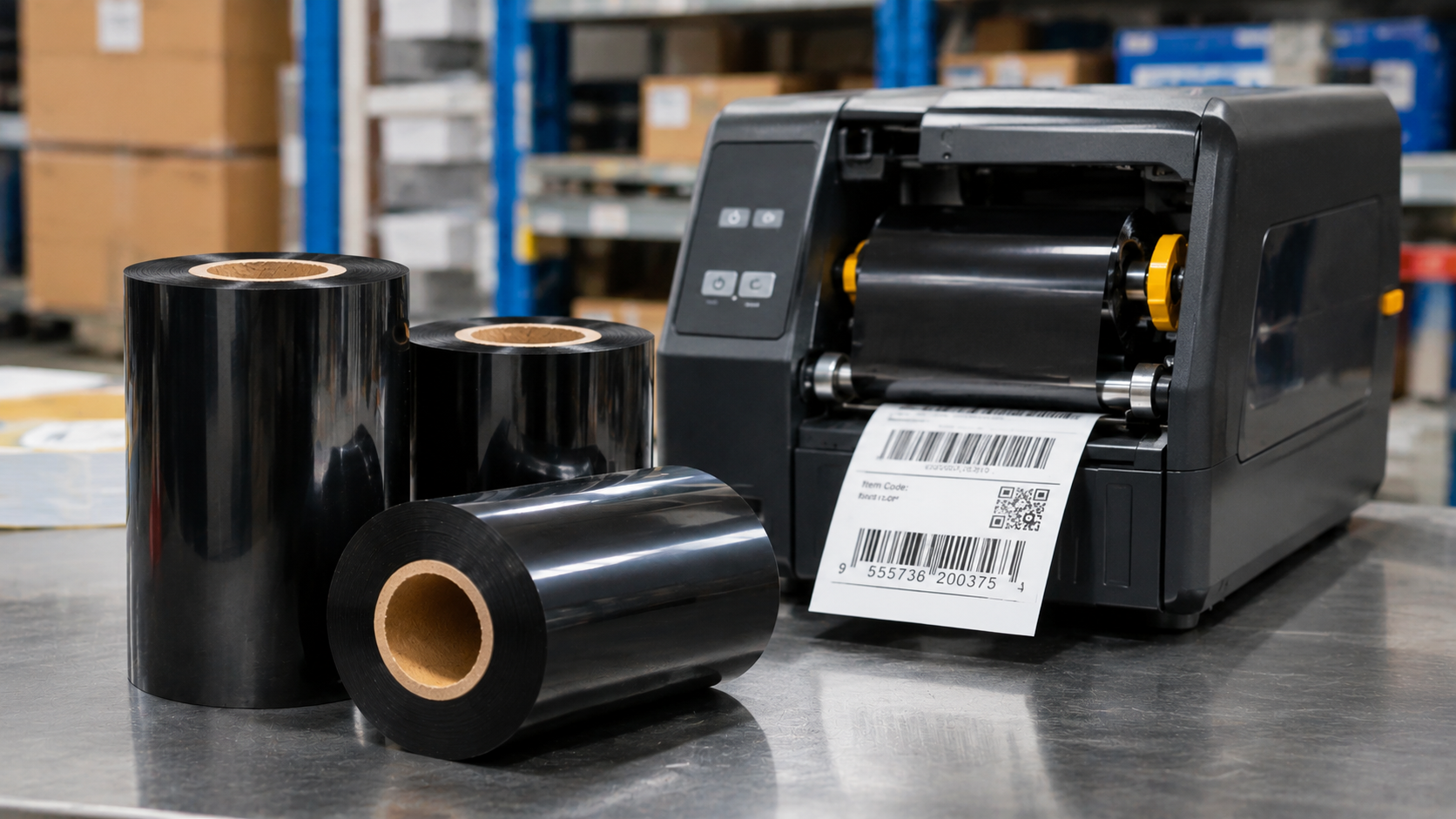
A thermal transfer ribbon can have the right ink formulation and still be wrong for your barcode printer. A roll that is too narrow may leave part of the printhead exposed to label media; the wrong core may not engage the spindle; and an incorrect ink-side orientation may prevent the image from transferring to the label at all.
This thermal transfer ribbon size guide explains how to specify ribbon width, length, core diameter, winding direction and printer compatibility before ordering. It also shows Malaysian manufacturers, label converters and industrial buyers how to prepare a complete ribbon RFQ, especially when standard stock rolls do not match their equipment.
Quick answer: Start with the exact printer model and the full label-media width. Select a ribbon wide enough to cover the media but still within the printer’s supported ribbon-width range. Then confirm the core’s inside diameter and drive features, allowable roll length and outside diameter, ink-in or ink-out winding, and a ribbon formulation tested on the actual label stock. Never order by width and length alone.
What Thermal Transfer Ribbon Size Does Your Barcode Printer Need?
A complete specification is more than a measurement such as 110 mm x 300 m. That notation describes ribbon width and length, but it does not identify the core, ink coating direction, printer-head compatibility or ink formulation. All of those can affect whether the roll can be loaded and used correctly.
| Specification | What it means | What to verify |
|---|---|---|
| Ribbon width (mm) | Width across the wound film | Covers the full media width and fits the printer’s approved range |
| Ribbon length (m) | Usable film length on a roll | Permitted roll length, outside diameter and take-up capacity |
| Core inside diameter (ID) | Opening that fits the printer spindle | Actual core dimensions, engagement slots or notches and take-up core |
| Ink side / winding | Whether the coated surface faces out or in on the wound roll | CSI or CSO as specified for the exact printer and media path |
| Ink formulation | Wax, wax-resin or resin coating | Label material, durability, printhead technology and tested print settings |
| Leader, trailer and packaging | Film ends, sensing features and roll presentation | Printer-specific detection requirements and any OEM identification needs |
Omnimetric’s thermal transfer ribbon product category lists wax, wax-resin and resin ranges and explains that paper and plastic cores can be customised. Its standard product pages show 110 mm x 300 m as a listed format, with customisation available on request. This is a published example, not a universal size for every printer.
How Wide Should a Thermal Transfer Ribbon Be?
Use ribbon that covers the entire label-media width while remaining within the printer manufacturer’s permitted ribbon-width range. This is different from choosing a ribbon solely by the width of the printed barcode. The media includes the actual web or liner that travels under the printhead, which may be wider than the face-stock label itself.
For example, assume a 100 mm-wide paper label sits on a 104 mm-wide liner. A 110 mm ribbon may be a reasonable candidate if the particular printer accepts that ribbon width, coating direction, core and roll length. It covers the full 104 mm media web with a small margin. A 100 mm ribbon would be narrower than the liner, even though the label face is 100 mm wide.
Printer manufacturer Zebra’s technical definition of a ribbon explains that ribbon should be at least as wide as the media. Otherwise, exposed areas of the printhead can experience premature wear. Always check the exact printer manual because maximum supported ribbon width and maximum printable image width are not interchangeable specifications.
Buying a much wider roll is not automatically safer. Excess width consumes film and the roll may not fit the supply mechanism. Ask the supplier to confirm a width that protects the printhead without exceeding the printer’s approved limits.
How Do You Choose Ribbon Length and Estimate Labels per Roll?
Choose length according to the printer’s permitted roll size and the station’s production demand. A longer ribbon can reduce roll changes, but only if its wound outside diameter, core and take-up system fit the printer. Many desktop printers accept shorter rolls than large industrial models; this is model-specific rather than a universal desktop-versus-industrial rule.
Worked Example: Estimated Output from a 300 m Ribbon
Suppose a packing line uses a label that advances 53 mm for each printed item, including its gap. If the ribbon advances through the same distance per label, the idealised calculation is:
Theoretical labels per roll = Ribbon length (mm) / Ribbon advance per label (mm)
| Input | Illustrative value | Calculation / note |
|---|---|---|
| Ribbon length | 300 m | 300,000 mm |
| Label pitch | 53 mm | 50 mm label length plus 3 mm gap |
| Theoretical label count | About 5,660 | 300,000 / 53, rounded down |
| Daily production | 2,000 labels | Hypothetical demand |
| Theoretical coverage | About 2.8 days | 5,660 / 2,000 |
These figures are planning examples, not an Omnimetric yield guarantee. Startup feed, leader and trailer sections, calibration, misprints, skipped labels, ribbon-saving mechanisms and roll-change practices can change the actual number of usable prints. Measure your operation’s real consumption before setting minimum stock or replenishment quantities.
If a current printer accepts only a shorter ribbon or has a smaller roll cavity, a 300 m roll may be unsuitable regardless of the theoretical saving. Record the manufacturer’s maximum roll outside diameter and usable take-up capacity as separate checks.
What Is the Difference Between 0.5-Inch and 1-Inch Ribbon Cores?
The core’s inside diameter determines how it fits the printer’s supply spindle. Common nominal formats include a 0.5-inch core (12.7 mm) and a 1-inch core (25.4 mm), but there is no safe universal rule that one is correct for all desktop or industrial printers.
Check the complete core specification: ID, material, width, tolerances, required slots or notches and the take-up arrangement. A core can be nominally the right diameter but fail to engage a printer mechanism if the drive features are wrong. Likewise, replacing a paper core with a plastic core requires dimensional and mechanical confirmation, not just matching the nominal inch size.
Omnimetric’s OEM thermal transfer ribbon slitting service lists half-inch and one-inch paper and plastic core options. The company also describes in-house plastic injection moulding and custom core production. That is particularly relevant to OEM buyers who need repeatable roll fit across multiple printer models.
For a printer-specific example, Zebra’s ZD888t ribbon loading guidance discusses 74 m and 300 m configurations, the use of appropriate adapters, and matching the take-up core to the ribbon core. These instructions apply to that particular printer family; buyers should not generalise them to every Zebra or non-Zebra model.
Ink In vs Ink Out: Does Ribbon Winding Direction Matter?
Yes. The coated ink surface must face the label at the printhead. In a wound roll, manufacturers may describe that coating as facing out (CSO, coated side out) or in (CSI, coated side in). The required direction depends on the printer’s ribbon path and the approved supply configuration.
Do not confuse ink-side orientation with ink formulation. A roll may be wax-resin and still be supplied with the wrong winding for a particular printer. Two rolls described as “110 mm x 300 m wax-resin” can therefore behave very differently when installed.
Some printer manufacturers specify only one winding direction for particular models. Other supply arrangements vary. It is safer to check the exact printer model, its consumables manual and the existing correctly functioning ribbon than to rely on a rule about the printer brand as a whole.
If the machine produces no image after a ribbon change, incorrect ink orientation is one possible cause, but not the only one. Check the printer’s print mode, ribbon path and material compatibility according to its manual. Omnimetric’s thermal transfer troubleshooting guide covers additional symptoms without turning this sizing article into a general repair manual.
Do Wax, Wax-Resin and Resin Ribbons Need Different Specifications?
The mechanical dimensions may be identical, but the printing application is not. Wax, wax-resin and resin formulations differ in transfer behaviour, compatible substrates and resistance to handling or environmental exposure. They should be selected alongside the label face stock, coating, printhead technology and expected service conditions.
| Ribbon family | Common starting application | Omnimetric product | Verification needed |
|---|---|---|---|
| Wax | Paper labels for shipping, retail and indoor identification | Wax Ribbon | Paper coating, print clarity, handling and approved flat-head printer setup |
| Wax-Resin | Coated paper and compatible synthetic labels needing more abrasion resistance | Wax-Resin Ribbon | Substrate adhesion, abrasion, head type and operating conditions |
| Resin | Compatible synthetic labels for demanding industrial environments | Resin Ribbon | Chemical and abrasion resistance, film compatibility and approved settings |
Omnimetric’s wax-resin product page includes both flat-head and near-edge applications, including flexible packaging thermal transfer overprinting (TTO), whereas the listed wax and resin pages identify flat-head applications. A product-family description does not mean every individual formulation works with every head or film. Confirm the precise ribbon grade before buying.
If your main question is about material durability rather than the roll’s mechanical dimensions, Omnimetric’s existing wax, wax-resin and resin comparison provides further background. This article concentrates on specifying a physically compatible roll.
What Should Buyers Check Before Ordering a Custom Thermal Transfer Ribbon?
A buyer may know the printer brand but not the ribbon specification. Conversely, an OEM converter may receive a request for a specific ribbon width without the printer model, core drawing or ink direction. Both situations can cause expensive trial-and-error orders.
Send the supplier a sample roll or the complete original specification where possible. For new equipment, provide the exact printer make, model and printhead configuration along with the technical data. If the application uses a specialist near-edge printhead or a TTO line, identify that separately from conventional flat-head label printers.
| RFQ field | What to provide | Why it matters |
|---|---|---|
| Printer identification | Brand, exact model, printhead type and permitted consumables | Establishes printer-specific physical and print requirements |
| Label media | Face-stock material, coating, label width, full liner/web width and label pitch | Supports ribbon width, coating and consumption calculations |
| Ribbon dimensions | Width, length, maximum roll OD and core ID/width/features | Confirms the roll can be loaded and driven |
| Winding and ink | CSI/CSO, wax/wax-resin/resin, approved formulation and colour | Ensures coating orientation and media compatibility |
| Printing conditions | Target speed, print density, exposure, application and barcode type | Defines quality and durability expectations |
| OEM requirements | Leader/trailer, core material, carton artwork, label and batch marking | Ensures repeatable identification and distribution |
| Validation and supply | Sample approval, printer trials, acceptance criteria, order quantity and shipping location | Reduces production and replenishment risk |
How Should You Test Ribbon Compatibility and Barcode Print Quality?
Check both mechanical fit and the printed result. A ribbon that loads correctly can still print poorly on the selected label or fail when the label encounters abrasion, chemicals or moisture. Trial the actual printer, ribbon and media combination under representative production conditions.
Start with the printer manufacturer’s loading and setup instructions. Record ribbon tracking, roll engagement, print settings, visible defects and the result across a representative number of labels. Do not use excessively high darkness settings to compensate for an incompatible ribbon/media pair; investigate the root cause before production approval.
For barcodes, visual appearance and a successful scan are useful checks, but neither is equivalent to a formal quality grade. The nonprofit GS1 barcode quality guidance identifies contrast, quiet zones, symbol dimensions, print defects and other causes of scanning failure. GS1’s verification guidance explains the role of ISO/IEC-conformant barcode verifiers and application-specific grading requirements. The public GS1 overview is not the full text of a paid ISO standard.
If the label must remain readable after chemical exposure, rubbing or outdoor use, agree on a representative durability test with the customer or label converter. Record the media, ribbon grade, equipment settings and acceptance criteria rather than relying on the word “resin” alone to establish performance.
Example: Specifying a Ribbon for a Mixed-SKU Warehouse Printer
Consider a hypothetical Malaysian distribution centre that prints 100 mm-wide product labels on a 104 mm liner. Its existing printer supports a 110 mm ribbon and a 300 m roll, but the purchasing team has received three quotations for “110 mm x 300 m wax-resin” without full specifications.
Supplier A identifies the correct core, ink-side direction and media-compatible formulation, and offers a sample for a print trial. Supplier B supplies the same nominal dimensions but has not stated CSI or CSO winding. Supplier C offers a potentially suitable formulation on a core with different spindle features.
Only Supplier A has provided enough information to proceed directly to a controlled sample evaluation. B and C may ultimately be suitable, but the buyer should request missing details before comparison. This example illustrates a procurement decision; it is not a claim about real suppliers or specific printer models.
Where Does Omnimetric Fit When Standard Ribbon Rolls Are Not Suitable?
Omnimetric Technologies Sdn. Bhd. manufactures and converts thermal transfer ribbons in Kedah, Malaysia, and publishes wax, wax-resin and resin ribbon ranges. Its OEM slitting service describes custom roll conversion, paper and plastic cores, printed leader tapes and packaging options. The company also details its slitting and plastics production facilities on its manufacturing infrastructure page.
These capabilities can be useful when distributors or equipment owners need a specific roll geometry, core arrangement or branded supply format. Nevertheless, custom production should follow an agreed specification and sample approval. A manufacturer’s broad capability statement does not establish that a particular roll is already in stock or compatible with every printer.
For a productive quotation discussion, send Omnimetric the exact printer model, label-media width and material, target ribbon size, core details, ink direction, expected working environment and required quantity. Ask the team to confirm the compatible formulation, sample availability, customisation scope and delivery terms for the proposed configuration.
Conclusion: Specify the Entire Ribbon, Not Just Width x Length
Choosing a thermal transfer ribbon size becomes easier when the buyer treats printer fit and label performance as separate checks. The roll must physically fit the printer, cover the media, wind in the correct direction and run on a compatible core. Its ink formulation must also produce readable, durable output on the actual label stock.
Before placing a production order, document the complete ribbon specification and test it under representative operating conditions. This prevents an apparently straightforward purchase from becoming a repeated source of ribbon errors, printhead wear or unreadable labels.
Frequently Asked Questions
Can two ribbons with the same width and length still be incompatible?
Should I measure the label face or the liner when choosing ribbon width?
Is ink-out winding the same as a wax-resin ribbon?
Can I use a longer ribbon roll to reduce changeovers?
What should an OEM buyer request with a custom ribbon sample?
Need Custom Thermal Transfer Ribbon Sizes or OEM Slitting?
Omnimetric Technologies manufactures and converts barcode ribbons for customers in Malaysia and overseas. Share your printer model, label details, ribbon dimensions, core requirements, ink direction and application conditions so the team can review a suitable wax, wax-resin or resin option, including custom OEM conversion where appropriate.
Explore Omnimetric’s Thermal Transfer Ribbons or contact Omnimetric for a technical quotation.